The problem: feedback is captured, then it stalls
Most projects have a way to collect feedback — a form, an inbox, an issue tracker. Far fewer have a working loop: the item is acknowledged, someone acts on it, and the person who raised it hears the outcome. The interval between "raised" and "resolved" is usually owned by nobody and measured by nothing, so it is slow without anyone noticing.
Until this month scaledaiops.org had exactly that gap. The only feedback path was a link to our GitHub organisation: no account, no way to report; with an account, leave the site, pick a repository, open an issue, and hope. Nobody was notified. Nobody could say how long an issue typically waited.
The FFRS pipeline
The Fast Feedback Resolution System (FFRS) treats each item as a five-stage pipeline. Each stage is a timestamp, recorded by whichever system naturally owns the event — so nothing needs manual bookkeeping and the metrics fall out of the timestamps.
The rule that makes FFRS fast: the first substantive response is produced without waiting for a maintainer. The rule that keeps it safe: nothing the agent produces takes effect without a human decision.
How it runs on this site
The implementation adds no new system of record. The GitHub issue tracker we already use is the store; a small function, a private object-store prefix and a mail API do the rest. FFRS is defined by these roles, not by these products — each can be swapped for an equivalent (see the table further down).
1. Capture
The edge tab opens a small dialog: feature or bug, a title, details, an optional e-mail with an explicit "tell me when it's resolved" checkbox, and — for bugs — a screenshot of the page you were on. The function validates the input, applies three guards (a hidden honeypot field, a per-address rate limit, a bot check), stores the screenshot privately and creates the GitHub issue synchronously. Only then do you get a reference like FB-6PR9NJ. If the tracker were down you would get an honest error and the widget would retry with the same idempotency key — nothing is half-stored.
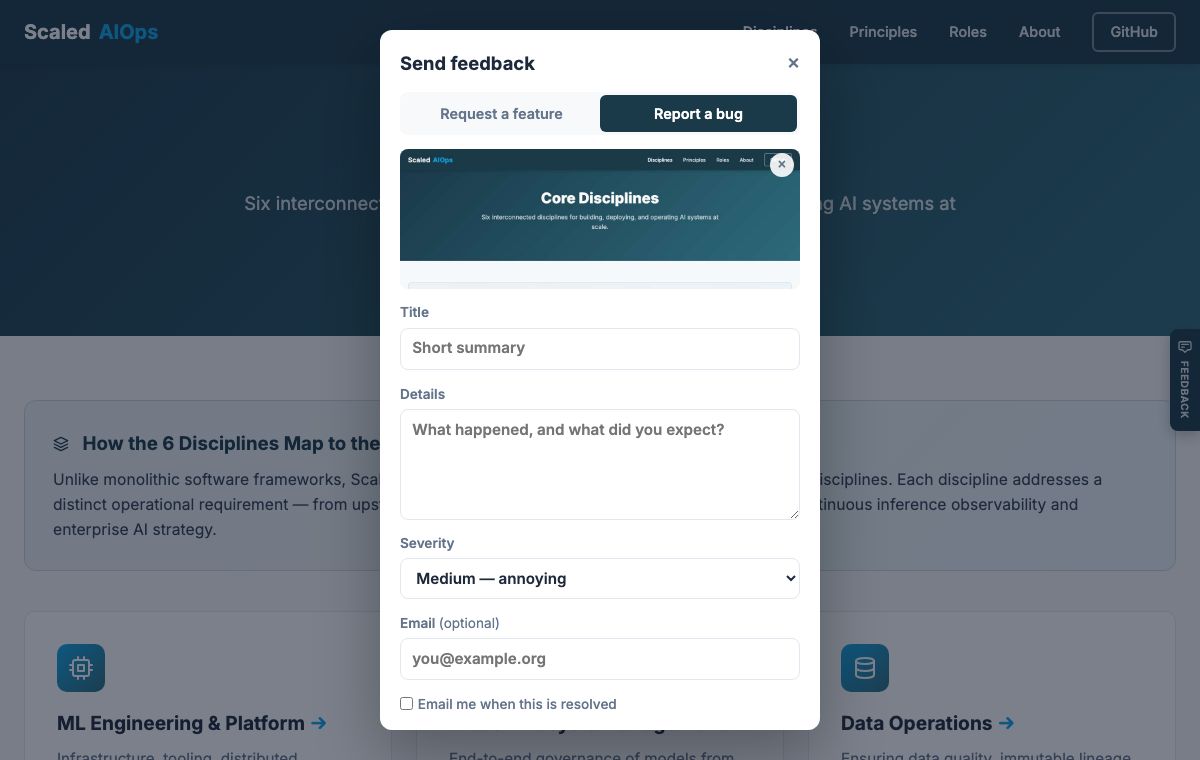
2. Acknowledge and route
If you left an e-mail and ticked the box, you receive an acknowledgement with your reference and a status link. Routing is a label: kind:bug or kind:feature, plus severity. Your e-mail never appears in the public issue; it lives in a private per-item record and is deleted with it.
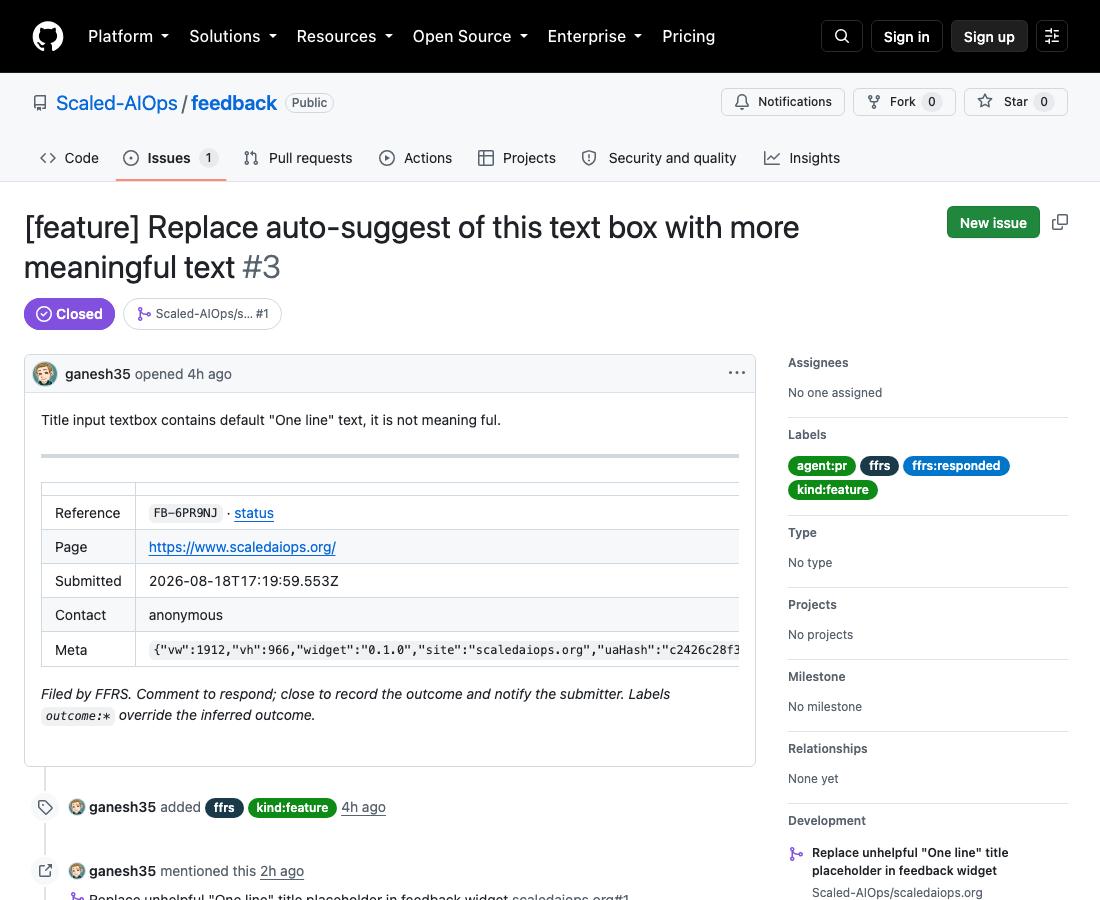
3. Respond — the agent
Every hour a coding agent reads the tracker for items without a first response and takes one of two paths.
- Code path. If the item is a change the agent can make safely — content, code, tests — it makes it on a branch, runs the site build and test suite, and opens a pull request with what changed, what it ran, and a link back to the item. A maintainer reviews and merges. Merge closes the item.
- Proposal path. Otherwise it posts a proposal — what it would do, what it needs, any risk. The requester replies
/accept, a maintainer replies/confirm, and only then does the agent execute./rejectreturns the item to the human queue.
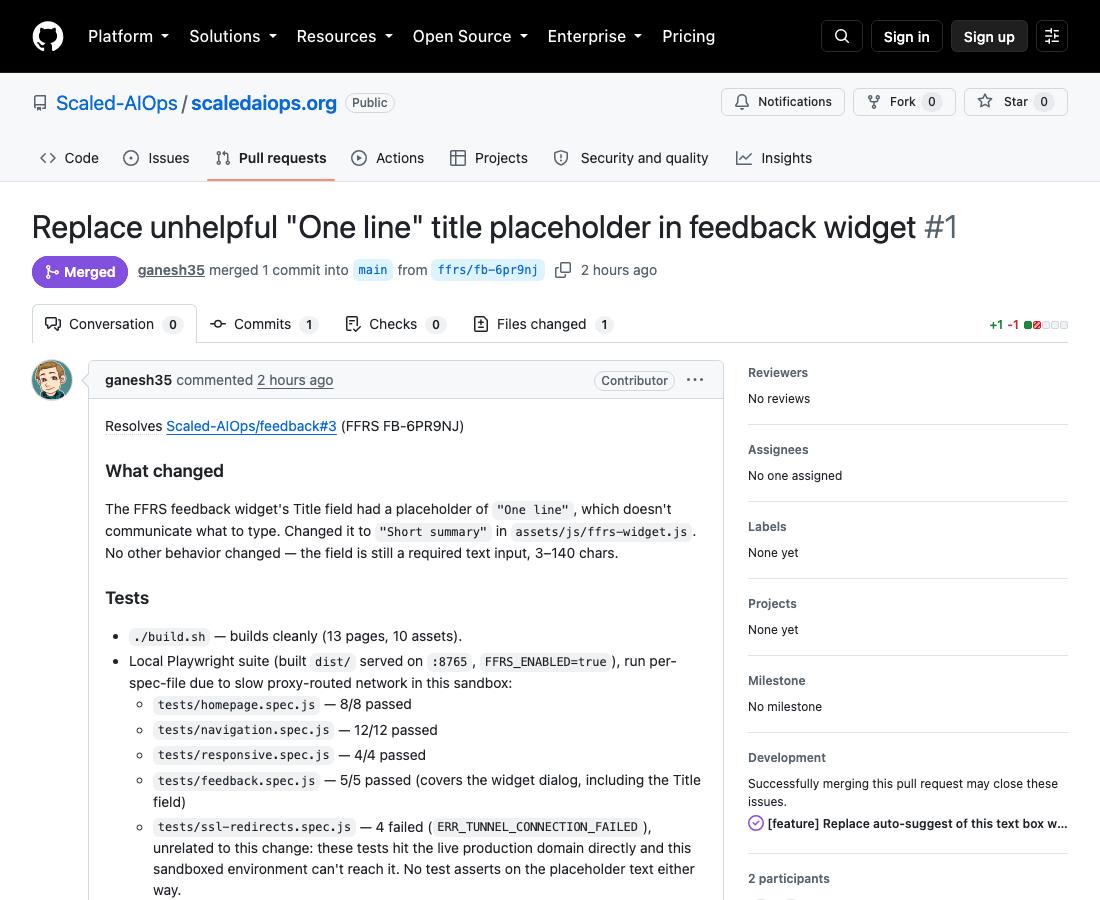
4. Close
Closing the issue — by merging the PR or by hand — records the outcome (fixed, shipped, answered, declined, …) and, if you opted in, sends you a closing note. The public status page /feedback/ shows the same timeline for any reference id.
The first real item, end to end
On the day the system went live, a visitor (the maintainer, testing as a user) reported that the widget's title field showed the meaningless placeholder "One line". Here is what happened, from the public record:
| Time | Event |
|---|---|
| T+0:00 | Item captured through the widget (feature request, anonymous). |
| T+1:10 | First agent run starts (the routine was created that hour). By T+1:19 it has a correct two-line fix but cannot push: its tracker identity lacked write permission on the organisation. It reports this precisely and stops. |
| T+1:21 | Maintainer grants the permission. |
| T+1:55 | Second agent run opens the pull request with the fix and its test results, comments on the issue, applies labels. |
| T+2:02 | Maintainer reviews the one-line diff and merges within a minute. Issue closes automatically with outcome shipped. The change is deployed. |
Time to first response ≈ 2 h, time to first human decision ≈ 2 h, time to close ≈ 2 h, human effort ≈ 1 minute. Since then the agent runs hourly, so a first response normally arrives within an hour of capture.
How this compares
| Plain tracker link | Vendor feedback widget | Service desk | FFRS | |
|---|---|---|---|---|
| Anonymous reporting | no (account needed) | yes | usually via e-mail | yes |
| Acknowledgement to reporter | none | yes | yes (SLA) | yes, if consented |
| First substantive response | whenever a maintainer looks | whenever a maintainer looks | staffed queue | agent, hourly |
| Outcome reported back | only if the reporter watches the issue | sometimes | yes | yes (closing note) |
| System of record | tracker | vendor database | ITSM tool | tracker (no new store) |
| Metrics | none | vendor dashboard | SLA reports | timestamps; recomputable by anyone |
| Personal data | GitHub profile | held by vendor | held by tool | e-mail only, private, deletable |
| New systems to run | 0 | 1 (SaaS) | 1–2 | 1 small function |
| Removable | — | cancel subscription | hard | three switches; no trace |
What it costs
At this site's volume — tens of items a month, not thousands — the running cost is effectively the free tier of the cloud we already use, plus the coding-agent subscription the maintainers already have.
| Component | Role | Monthly cost at our volume |
|---|---|---|
| Serverless function + API gateway | capture, status, webhook | free tier (≈ 1 M requests/month included) |
| Private object store | sidecar, screenshots (90-day expiry) | cents |
| Transactional e-mail | ack · alert · close | fractions of a cent per message |
CDN path /api/* | same-origin API | included in the site's existing distribution |
| Bot check | anti-spam | free tier |
| Issue tracker | system of record | free (public repository) |
| Coding agent | Respond stage | within an existing subscription; no per-item API charge |
| Total | ≈ €0–2 per month at current volume; the marginal cost of an item is the reviewer's minute |
For comparison, hosted feedback products typically start in the tens of euros per month per seat and hold the data on the vendor's side. The trade FFRS makes is deliberate: no triage UI beyond the tracker itself, in exchange for no vendor, no database and no data leaving the project.
Build cost: about one working day across eight phases, by one maintainer with an AI coding assistant. The whole history — infrastructure, code, content and the agent's own instructions — is in version control, so the audit trail is the commit and pull-request log.
Benefits we see
Faster first response
Hours instead of "when someone gets to it", because the first response is produced, not scheduled.
Human effort goes to judgement
Reviewing a diff or a proposal takes a minute; producing it took the agent's time, not the maintainer's.
The loop actually closes
Reporters get a reference, a status page and — if they want — an e-mail when it's done.
Honest metrics
Every stage is a timestamp in a public tracker; anyone can recompute TTFR, TTC, loop closure and agent share.
Nothing new to operate
The tracker is the store; one function; no database; three switches remove it all.
Privacy by construction
Consent-gated e-mail kept apart from the public record; expiring screenshots; no analytics.
Limits, stated plainly
- Items that need a decision the project hasn't made still wait for a human — the agent makes the wait visible, not shorter.
- Anonymous reporters cannot
/accepta proposal; a maintainer's/confirmthen stands for both. - An agent that opens pull requests is only as safe as the review culture around it. The checkpoint is structural; reading the diff is still a human's job.
- Capture depends on the tracker being up. An outage is an explicit error and a client retry, not a silent loss.
Roles, not products
FFRS prescribes roles and the contracts between them. Ours are filled with what this project already ran on; any equivalent works.
| Role | Here | Equivalents |
|---|---|---|
| Issue tracker | GitHub Issues | Jira, GitLab Issues, Linear, Azure Boards, Gitea |
| Capture function | AWS Lambda + API Gateway | Cloud Run / Functions, Azure Functions, Cloudflare Workers, any container behind an HTTP gateway |
| Object store | S3 (private prefix) | Google Cloud Storage, Azure Blob, MinIO |
| SES | SendGrid, Postmark, Mailgun, SMTP | |
| Bot check | Cloudflare Turnstile | reCAPTCHA, hCaptcha, honeypot only |
| Coding agent | hosted coding-agent routine | Copilot coding agent, OpenHands, Aider or SWE-agent in a scheduled job |
| Infrastructure as code | Terraform | OpenTofu, Pulumi, CloudFormation, Bicep |
Adopting it
One script tag on your pages, one function deployment configured by environment variables, and a webhook on your tracker:
<script src="/assets/js/ffrs-widget.js"
  data-endpoint="/api/feedback" data-site="example.org"
  data-turnstile="<sitekey>" data-screenshot="bug" defer></script>
Code, infrastructure module and the agent's protocol are open: ffrs-api (MIT), this site (widget, CC BY-SA), infrastructure. The tracker that receives this site's feedback is public too: Scaled-AIOps/feedback — every item, response and outcome is there to inspect. A weekly metrics report is filed there each Monday. A preprint describing the FFRS model, its metrics and this deployment as a case study is being written in the open at Scaled-AIOps/ffrs-paper.
Try it now: the Feedback tab is on the right edge of this page. Tell us what's wrong with this post.